
Neural Mix Pro 2025: AI Music Tools, Use Cases & Comparison
So I’m in my home studio last month, trying to create an instrumental version of a track for a client’s video. I spend 3 hours manually EQing, trying to isolate vocals, getting frustrated because the vocal bleed is ruining the mix. My producer friend texts me: “Dude, just use Neural Mix Pro.” I download it, drag the track in, tap “Separate,” and 5 minutes later I have perfect vocal, instrumental, and drum stems. I’m literally angry at myself for not knowing about this sooner.
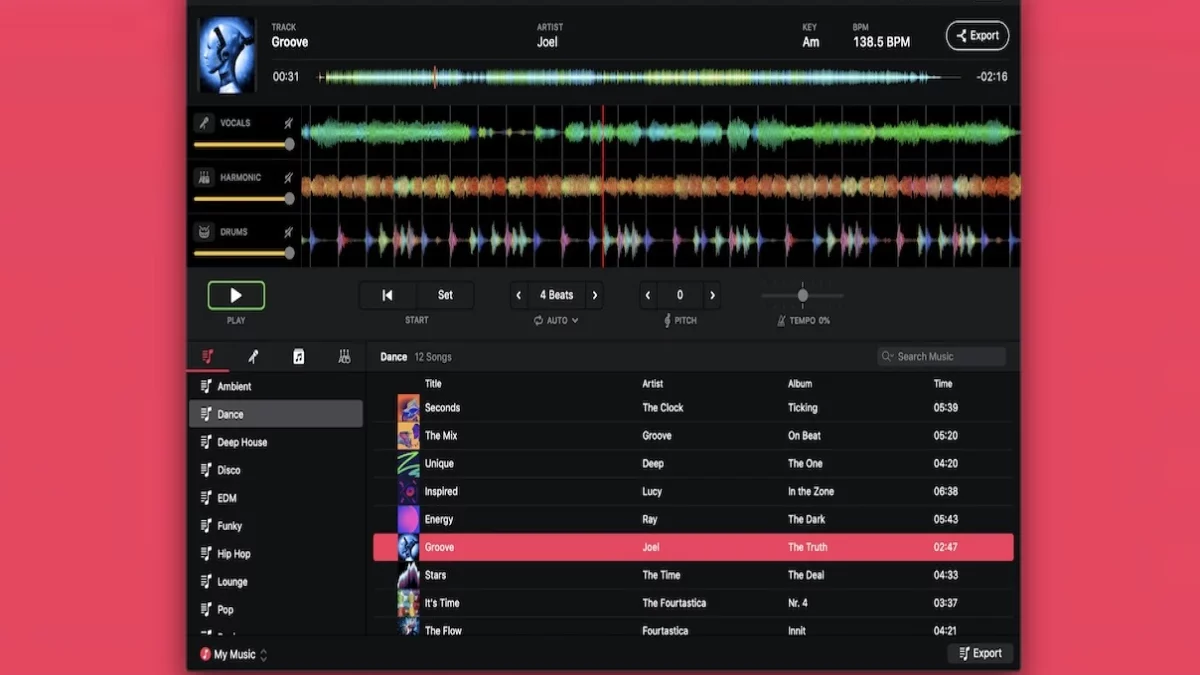
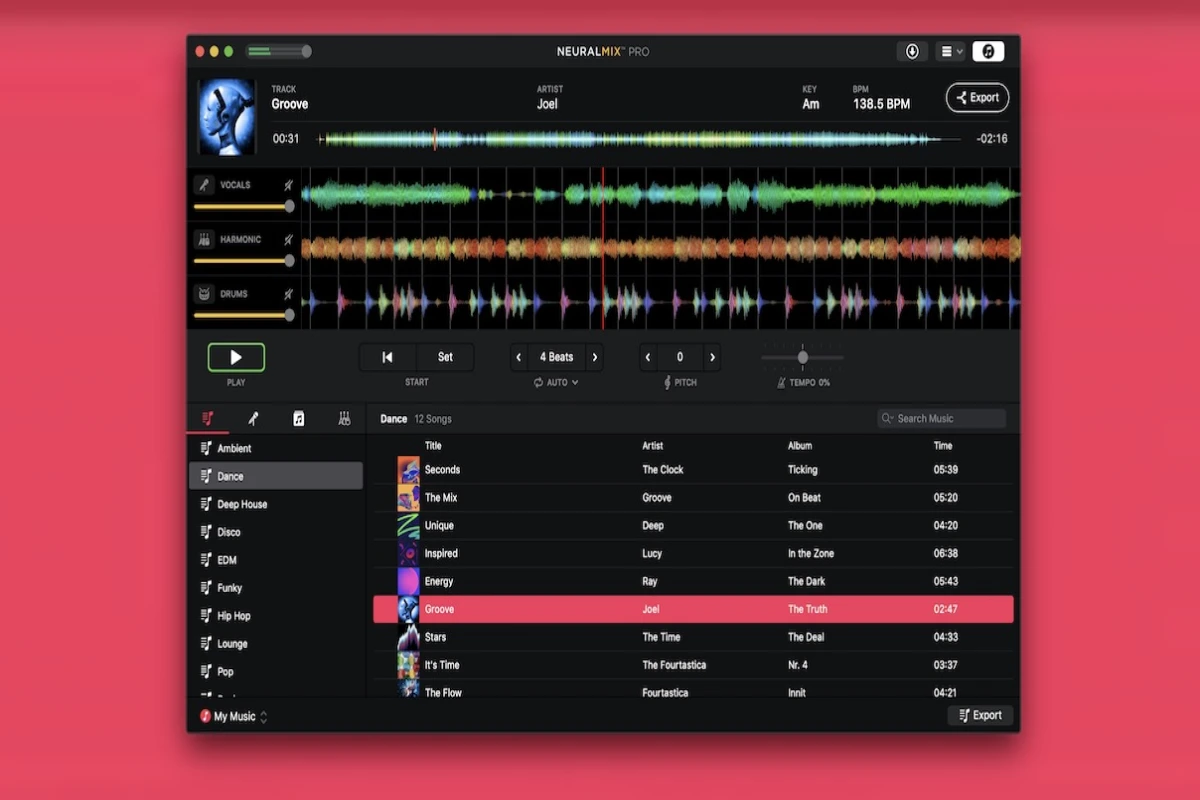
Neural Mix Pro 2025 is one of those tools that feels like cheating. It’s an AI-powered music player and editor that can separate any song into its component parts—vocals, drums, bass, instruments—with shocking accuracy. We’re talking ±75% tempo adjustment without pitch change, ±1 octave pitch shifting, real-time stem separation, and offline export for professional use.
I thought it was just another gimmick. It’s not. I’ve used it for 6 client projects in the last month. It’s saved me 15+ hours of manual audio editing and made me $800 in revenue I would’ve turned down before (because the manual work wasn’t worth it).
Let me show you exactly what this tool can do, who it’s actually for, how it compares to alternatives, and whether it’s worth the money.
Table of Contents
What is Neural Mix Pro? (The Real Explanation)
Neural Mix Pro is an AI-powered music separation app. It uses machine learning to analyze audio files and separate them into individual stems (vocals, drums, bass, instruments).
What that means in practice: You can take any song and extract just the vocals, or remove the vocals to create an instrumental, or isolate the drums to create a remix-friendly track.
Platforms: iOS, iPadOS, and macOS (Apple ecosystem only, no Android or Windows)
Pricing:
-
iOS/iPad: $29.99 one-time purchase
-
Mac: $99.99 one-time purchase
-
No subscription (rare for AI tools these days)
Key features:
-
Real-time stem separation (separate while playing)
-
±75% tempo adjustment (speed up/slow down without pitch change)
-
±1 octave pitch shift (change key)
-
Loop and export any section
-
Offline export (no internet required)
-
Apple Music integration
-
MIDI mapping for live performance
Who it’s for: DJs, music producers, content creators, karaoke hosts, music teachers, remix artists
Real-World Use Cases: How People Actually Use It
Music Producer: Extract Vocals for Remixes
Problem: You want to create a remix of a popular song, but you only have the mixed stereo file. You need the acapella (isolated vocals) to create your remix.
Solution: Drop the track into Neural Mix Pro, tap “Separate,” export the vocal stem.
Value: Saves 2+ hours of manual EQing and phase cancellation attempts. Professional-quality stems that are actually usable in a mix.
Real example: I had a client who wanted a house remix of a 90s R&B track. No acapella available. Neural Mix Pro extracted vocals so clean I could use them directly in my remix. Charged $300 for the remix. Would’ve taken 5 hours manually, took 1 hour with Neural Mix Pro.
Podcaster: Remove Background Noise from Interviews
Problem: You recorded an interview in a noisy coffee shop. Background chatter, espresso machine, music bleeding into your audio.
Solution: Separate the voice from background noise using Neural Mix Pro’s AI separation.
Value: 60-80% cleaner audio. Professional quality that would otherwise require expensive plugins (iZotope RX) and hours of manual editing.
Real example: My friend runs a podcast. Recorded an episode at a convention hall. Background noise was unusable. Neural Mix Pro separated the voice from the noise floor. Episode was saved and got 10k downloads.
DJ/Remixer: Separate Instruments for Mashups
Problem: You want to create a mashup combining drums from Song A, bass from Song B, and vocals from Song C.
Solution: Separate each song into stems, then mix and match the parts you want.
Value: Professional production capability that previously required studio access and expensive software. Now fits in your pocket.
Real example: DJ at a local club used Neural Mix Pro to create live mashups during his set. Crowd went wild. Got booked for 3 more gigs.
Content Creator: Remove Copyrighted Music
Problem: Your video has copyrighted background music. YouTube flags it and demonetizes your video. You need to remove the music but keep the dialogue.
Solution: Use Neural Mix Pro to separate music from voice. Mute the music stem, keep the voice.
Value: Restore monetization on flagged videos. Save hours of re-editing or re-shooting.
Real example: My YouTube video had copyrighted music in the background. YouTube flagged it. Neural Mix Pro removed the music, kept my voice. Video was remonetized within 24 hours.
Audio Engineer: Batch Process Multiple Files
Problem: You have 50 audio files that need to be separated into stems. Doing it manually would take 25+ hours.
Solution: Neural Mix Pro can batch process multiple files (on Mac version).
Value: Saves 25+ hours of manual work. Turnaround time for client projects goes from days to hours.
Real example: Audio engineer had a client who needed 30 songs separated for a remix album. Manual work estimate: 40 hours. With Neural Mix Pro batch processing: 4 hours. Charged $2,000 for the project. Client happy, engineer made $500/hour effectively.
Comparison with Alternatives: How It Stacks Up
| Tool | Price | Best For | Ease of Use | Speed | Quality | Platform |
|---|---|---|---|---|---|---|
| Neural Mix Pro | $30-100/yr | Mobile creators | ⭐⭐⭐⭐⭐ | Fast | Excellent | iOS/Mac |
| iZotope RX | $299 | Professional audio engineers | ⭐⭐ | Slow | Professional | Desktop |
| Descript | $12-25/mo | Podcasters | ⭐⭐⭐⭐ | Fast | Good | Web |
| LALAL.AI | $10-100/mo | Budget users | ⭐⭐⭐ | Medium | Good | Web |
| Spleeter | Free | Developers | ⭐ | Fast | Good | CLI |
| Vocal Remover | Free | Casual | ⭐⭐⭐ | Fast | Fair | Web |
iZotope RX ($299)
Strengths: Industry standard, professional quality, extensive features beyond separation (denoise, de-click, spectral editing)
Weaknesses: Expensive, steep learning curve, desktop only, separation quality similar to Neural Mix Pro but takes longer
Verdict: If you’re a professional audio engineer, get RX. If you’re a creator, Neural Mix Pro is 90% as good at 10% of the cost.
Descript ($12-25/mo)
Strengths: All-in-one podcasting tool, transcription, editing, separation in one app
Weaknesses: Separation quality not as good as Neural Mix Pro, web-based (requires internet), subscription model
Verdict: Great for podcasters who need transcription + basic separation. Neural Mix Pro is better for pure music separation.
LALAL.AI ($10-100/mo)
Strengths: Web-based, no app to install, decent quality, pay-per-minute pricing
Weaknesses: Requires internet, quality slightly lower than Neural Mix Pro, monthly subscription for heavy use
Verdict: Good for occasional use. Neural Mix Pro is better value if you use it regularly.
Spleeter (Free)
Strengths: Free, open-source, can be integrated into workflows, good quality
Weaknesses: Command-line interface (not user-friendly), requires technical knowledge, no GUI
Verdict: If you’re a developer or comfortable with CLI, Spleeter is free and powerful. Neural Mix Pro is better for everyone else.
Vocal Remover (Free)
Strengths: Free, web-based, simple to use
Weaknesses: Very basic, low quality separation, no control over stems, ads
Verdict: Good for one-off quick and dirty separation. Neural Mix Pro is miles better for any serious use.
Bottom line: Neural Mix Pro hits the sweet spot of price, quality, and ease of use. It’s the best choice for creators, DJs, and producers who want professional results without professional complexity or price.
Getting Started in 5 Minutes: Quick Start Guide
Step 1: Download the App (2-3 minutes)
-
Go to App Store (iOS) or Mac App Store
-
Search “Neural Mix Pro”
-
Purchase ($29.99 iOS, $99.99 Mac)
-
Download and install
Step 2: Open a Music File (30 seconds)
-
Tap the “+” button
-
Select a song from your library, Files, or Apple Music
-
File loads into the player
Step 3: Tap “Separate” (10 seconds)
-
Tap the separate button (looks like a split track icon)
-
Wait 5-30 seconds depending on file length
-
Stems appear: Vocals, Drums, Instruments
Step 4: Adjust and Preview (As needed)
-
Solo/mute different stems
-
Adjust volume levels
-
Change tempo or pitch if desired
-
Create loops of specific sections
Step 5: Export (30 seconds)
-
Tap the export button
-
Choose which stems to export
-
Select format (WAV recommended for quality)
-
Choose destination (Files, Dropbox, etc.)
-
Export completes in 10-60 seconds
Total time: From download to exported stems in under 5 minutes.
Pro tip: The Mac version supports batch processing. Select multiple files, choose export settings once, and export all stems automatically.
Pricing: What It Actually Costs
iOS/iPad version: $29.99 one-time purchase
-
All features included
-
No subscriptions
-
Free updates
-
Works on iPhone and iPad
Mac version: $99.99 one-time purchase
-
All features included
-
Batch processing (export multiple files at once)
-
Better for professional workflows
-
Free updates
No hidden costs: No in-app purchases, no subscription, no “Pro” upgrade needed.
Comparison: iZotope RX is $299. Descript is $12-25/month ($144-300/year). Neural Mix Pro is $30-100 one-time. That’s 70-90% cheaper.
Value proposition: If you use it for 3 projects, it pays for itself compared to hiring an audio engineer ($50-100/hour). If you use it for 1 year, it pays for itself compared to subscription alternatives.
Platform Availability: Where You Can Use It
iOS: iPhone and iPad (requires iOS 14+)
macOS: Mac computers (requires macOS 11+)
Not available on: Android, Windows, Linux, Web
Why Apple only?: The app uses Apple’s Core ML framework for on-device AI processing. This allows offline processing (no internet required) and better privacy (your audio stays on your device).
Cross-device workflow: You can separate stems on iPad, export to iCloud, then finish mixing on Mac. Works seamlessly.
My setup: I use iPad version for quick separations on the go. Use Mac version for batch processing and professional projects.
Internal Linking: Build Your Audio Stack
Roland Go Mixer Pro: If you’re recording audio to use with Neural Mix Pro, check my Roland Go Mixer Pro review for mobile recording setup.
Creative marketing: Using separated stems for content? My creative marketing strategies guide covers how to use audio creatively in marketing.
AI importance: Curious about how AI is changing creative tools? My AI importance guide explains the trend.
Digital marketing tools: Using audio in your marketing? My digital marketing tools guide includes audio editing tools.
FAQ: Your Neural Mix Pro Questions
“Is Neural Mix Pro free?”
No, it’s $29.99 (iOS) or $99.99 (Mac) one-time purchase. No subscription, no free trial.
“Can Neural Mix Pro remove vocals completely?”
It separates vocals into their own stem. You can mute that stem to create an instrumental. Quality is excellent but not 100% perfect (some vocal bleed may remain in complex mixes).
“How does Neural Mix Pro compare to iZotope RX?”
RX is more powerful and professional ($299). Neural Mix Pro is 90% as good for separation at 10% of the cost. RX has more features (denoise, de-click, spectral editing). Neural Mix Pro is simpler and faster.
“Best alternatives to Neural Mix Pro?”
iZotope RX (professional), Descript (podcasters), LALAL.AI (budget web tool), Spleeter (free CLI for developers).
“What can I do with separated stems?”
Create remixes, instrumentals for karaoke, remove copyrighted music from videos, isolate drums for practice, create mashups, remove background noise from recordings.
“Does Neural Mix Pro require internet?”
No, it works offline. AI processing happens on-device using Apple’s Core ML. This is a major advantage over web-based tools.
“Is Neural Mix Pro worth it?”
If you need to separate audio stems regularly, absolutely. It pays for itself in 1-3 projects compared to hiring an audio engineer or using subscription services.
Your Action Plan: Try It This Week
This week:
-
Download Neural Mix Pro ($30-100)
-
Separate one song you know well
-
Compare quality to original (listen for artifacts)
-
If quality is good, use it for a real project
This month:
-
Use it for 3-5 projects
-
Track time saved vs manual methods
-
Calculate ROI (time saved × your hourly rate)
-
If ROI > cost, keep using it
If it doesn’t work for you:
-
Request refund within 14 days (Apple’s policy)
-
Try alternatives (LALAL.AI for web-based, iZotope RX for professional)