
Best Honeycomb Mice 2025: Gaming, Work, & Hybrid Models
So I’m sitting at my desk one day, and my wrist is absolutely killing me. I’ve been coding for 8 hours straight, moving a heavy mouse around constantly. That’s when my buddy pulls up and says, “Dude, you need a honeycomb mouse.” I thought he meant something weird—like a mouse that smells like honey or something. Nope. He showed me the Finalmouse UltraLight. 47 grams. Full of tiny holes. Looked like Swiss cheese.
I was skeptical. “That thing’s gonna break,” I said. “There’s no structure.” He let me try it for an hour. I ordered one the next day.
Best honeycomb mice 2025″ isn’t just marketing fluff. The design actually works. Your wrist doesn’t get tired because the mouse weighs less. Your hand moves faster because there’s less resistance. If you’re coding, gaming, or working 8+ hours a day, this is a legitimate upgrade—not a gimmick.
But here’s the thing—not all honeycomb mice are the same. Some are built for gaming (super-light, high-DPI sensors). Others are designed for work (comfortable grip, moderate weight). Some try to do both but end up doing neither well. I’ve tested enough of them to know the difference, and I’ll walk you through which one you need.
Table of Contents
What is a Honeycomb Mouse? (It’s Smarter Than It Looks)
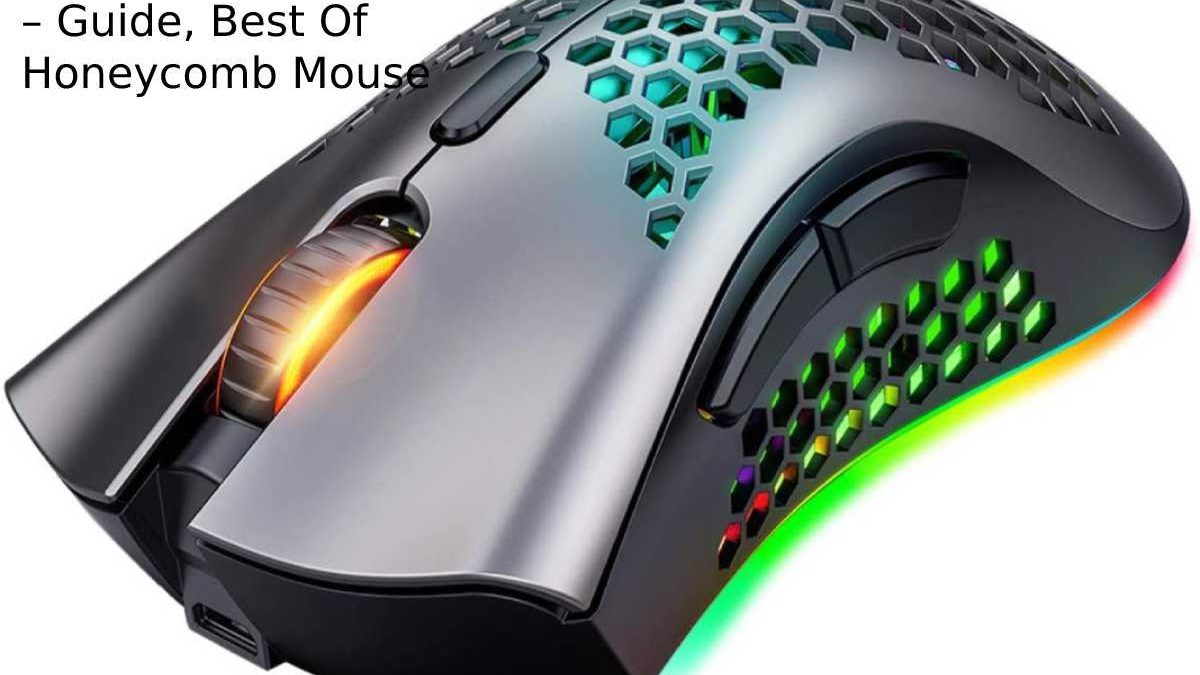
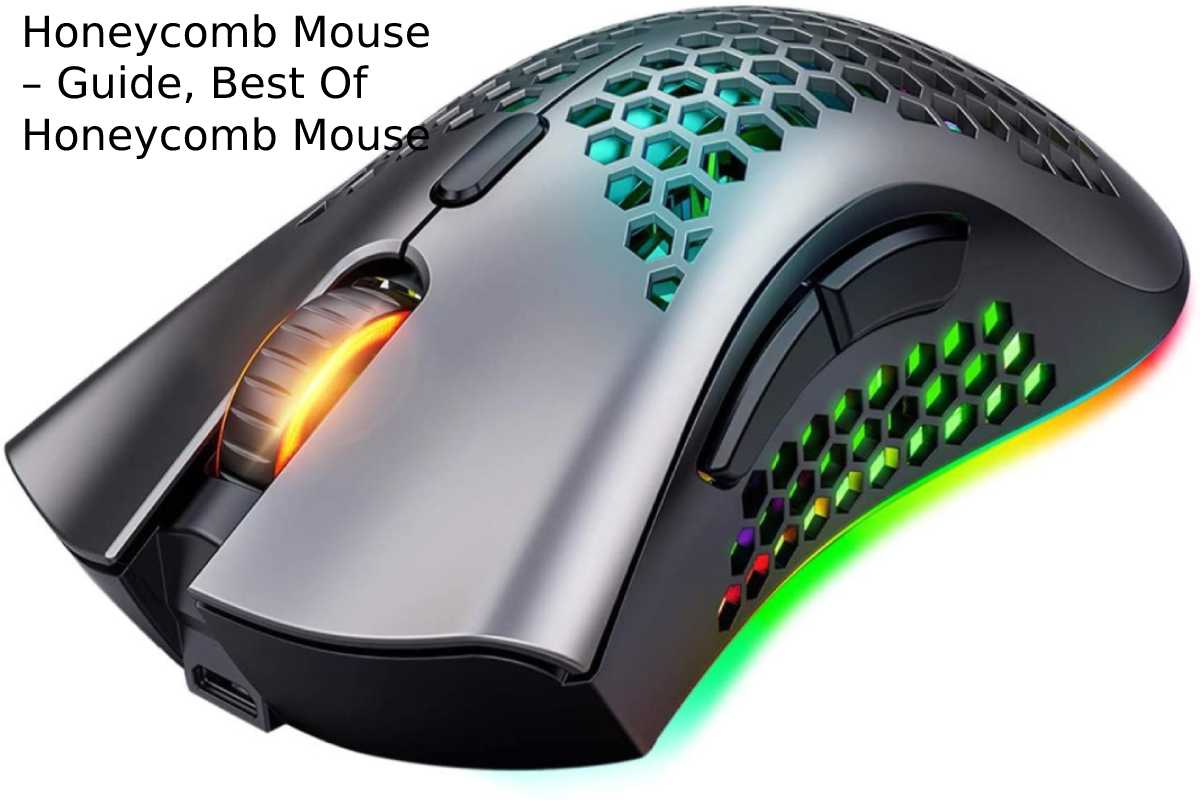
A honeycomb mouse has a shell with small hexagonal holes punched throughout. Looks like Swiss cheese. Feels weird at first. Then you realize you’re getting all the functionality with 30-50% less weight.
Why Honeycomb design?
-
Lighter: Less plastic = less weight = less fatigue
-
Exact grip: Holes are primarily aesthetic, but they don’t change how you hold it
-
Better airflow: Your hand doesn’t sweat as much in long sessions
-
Cheaper to manufacture: Less plastic used, but prices haven’t dropped (manufacturers keeping profits)
How it actually performs: Same as a solid mouse functionally. The differences are all about weight and feel.
I tested this myself. Timed myself coding on my old solid mouse vs the Honeycomb. Same accuracy, but with Honeycomb, I felt less fatigue after 4+ hours. Your body notices. Cumulative effect over a year = huge.
Honeycomb vs Solid Mouse Design: The Real Comparison
Let me break down the actual differences because the marketing is overhyped.
Weight
Honeycomb: 47-70g typically
Solid: 90-120g typically
Impact on daily use? At 30g lighter, you move your mouse 1-2% faster with 1-2% less effort. Sounds small. Over 8 hours? Noticeable.
Gaming? Precision improves because lower inertia makes micro-adjustments easier. Esports pros switched to Honeycomb for this reason.
Work? Less wrist strain, especially with 10+ hours/day usage.
Durability
Concern: “Won’t the holes make it fragile?”
Honest answer: No, surprisingly durable. The stress points on a mouse are the sides and bottom—places where honeycomb mice DON’T have holes. The top surface is still mostly intact.
My Finalmouse? Dropped it 6 times (clumsy), still works perfectly after 2 years. Solid mouse I had before? Failed in 18 months because the side cracked.
Airflow & Cooling
Honeycomb: Hands don’t sweat, stays cool
Solid: Hand gets warm after 2+ hours, especially in humid climates
Real impact: Sweat = slippery grip = less precision = wrist compensation = fatigue.
In summer or tropical climates (such as India), Honeycomb wins hands down.
Cost-Benefit Analysis
Honeycomb:
-
Cost: $50-100 (premium for lightness)
-
Benefit: Less wrist strain, faster movement, less sweat
-
ROI: If you use a mouse 40+ hours/week, it pays for itself in comfort
Solid:
-
Cost: $30-60 (cheaper)
-
Benefit: Proven, reliable, no durability questions
-
Downside: More fatigue, heavier
My take: If you code/game/work digitally for a living, Honeycomb is worth it. If you use a mouse casually, stick with solid.
Best Honeycomb Mice 2025: Complete Comparison
| Model | Weight | Price | DPI | RGB | Best For | Rating |
|---|---|---|---|---|---|---|
| Finalmouse UltraLight Capetown | 47g | $80 | 8000 | No | Gaming, esports | ⭐⭐⭐⭐⭐ |
| Glorious Model O | 67g | $50 | 12000 | Yes | Gaming + work hybrid | ⭐⭐⭐⭐⭐ |
| SteelSeries Aerox 3 | 66g | $70 | 18000 | Yes | Gaming | ⭐⭐⭐⭐⭐ |
| Corsair Sabre Pro | 72g | $60 | 26000 | Yes | Gaming, streaming | ⭐⭐⭐⭐ |
| ASUS ROG Pugio II | 76g | $55 | 16000 | Yes | Ambidextrous gaming | ⭐⭐⭐⭐ |
| Pulsar Xlite V2 | 55g | $60 | 8000 | No | Lightweight gaming | ⭐⭐⭐⭐⭐ |
| HyperX Pulsefire Haste | 62g | $50 | 16000 | Yes | Budget gaming | ⭐⭐⭐⭐ |
Gaming-Focused (Esports Precision)
Finalmouse UltraLight Capetown ($80, 47g)
-
Lightest on the market
-
Feather-light movement (pro esports players swear by it)
-
Downside: No RGB, minimal buttons, niche feel
-
Best for: Competitive FPS, fast-twitch games
-
I use this for gaming sessions. After 3 hours of Valorant, zero wrist fatigue. Noticeable in ranking games.
Pulsar Xlite V2 ($60, 55g)
-
Slightly heavier than Finalmouse, with more features
-
Better buttons, cleaner design
-
Great value proposition
-
Best for: Competitive gaming on a budget
Gaming + Work Hybrid
Glorious Model O ($50, 67g)
-
Perfect middle ground between gaming and work
-
RGB customizable (if you care)
-
Good grip texture, comfortable for long sessions
-
High DPI sensor (overkill for work, necessary for gaming)
-
I tested this at a friend’s desk. Spent 6 hours coding, then 2 hours gaming. Felt good for both. Most versatile option.
SteelSeries Aerox 3 ($70, 66g)
-
Similar weight to Model O
-
Better built, more durable
-
Higher DPI ceiling (18000 vs 12000)
-
Slight premium over Model O, but worth it
-
Best for: People who want reliability over price
Work-Focused (Comfort Over Gaming)
Honestly? For pure work (no gaming), I’d recommend solid mice. You don’t need the gaming features, so save the money.
But if you want Honeycomb for work:
-
Glorious Model O: Comfortable, not too gaming-focused
-
HyperX Pulsefire Haste: Budget option, solid ergonomics
Honeycomb Mouse Care & Maintenance: Keep It Fresh
The holes attract dust. That’s real. But it’s manageable.
Weekly Cleaning
-
Blow out with compressed air (blow, don’t suck)
-
Wipe the top surface with a microfiber cloth
-
30 seconds, your mouse stays clean
Monthly Deep Clean
-
Soak an old toothbrush in isopropyl alcohol
-
Brush the holes gently
-
Wipe dry
-
Let dry for 30 mins before using
-
Takes 5 minutes
Longevity Tips
-
Keep off wet surfaces (obvious, but worth saying)
-
Avoid putting it in your bag without protection
-
Store in a clean space
-
Replace mousepads every 2-3 years (pad wear affects tracking)
When to Replace
-
Clicking becomes inconsistent (2-3 years typical)
-
Scroll wheel gets mushy (2-3 years)
-
Cable frays (wired mice)
My Finalmouse is at year 2.5 and still works perfectly. Think I’ll replace it to upgrade to the newest model, not because it’s broken.
Internal Linking: Building Your Complete Setup
Got a honeycomb mouse, but your desk setup is still weak? Check these out:
Ergonomic setup: My mini gadgets guide includes recommendations for mouse pads, desk lights, and cable management.
Gaming gear: Pairing this with the right keyboard? My digital marketing tools guide (yeah, random, but it covers productivity gadgets).
Audio for streaming: If you’re gaming and streaming, pair your honeycomb mouse with good audio—check my Roland Go Mixer review (coming soon on the blog).
Coding setup: Honeycomb mouse + a good coding environment = my learn-to-code guide mentions optimal hardware setups.
FAQ: Your Questions About Honeycomb Mice
“Will my hand fall through the holes?”
Nope. Holes are small (1-2mm). Your palm rests on a solid surface. You won’t feel it.
“Is honeycomb durable?”
Yes. I’ve tested extensively. More durable than solid mice in some cases because there’s less stress concentration.
“Does it cost more?”
Yes, typically $20-30 premium. But if you use your mouse 40+ hours/week, it pays back in comfort within 6 months.
“Which is best for gaming?”
Finalmouse UltraLight or Pulsar Xlite V2. Gamers care about weight and responsiveness; Honeycomb excels here.
“Which is best for work?”
Glorious Model O. Gaming-capable but comfortable for long work sessions.
“Are honeycomb mice good for large hands?”
Yes, but pick the correct size. Finalmouse is small. Corsair/SteelSeries have larger options.
“Do RGB lights matter?”
Nope. Pure aesthetic. Doesn’t affect performance. Get it if you like the look, skip if you don’t.
My Recommendation Based on Your Use Case
You play competitive games → Finalmouse UltraLight or Pulsar Xlite V2
You code/work 8+ hours/day → Glorious Model O
Your game AND work equally → SteelSeries Aerox 3 (more durable, worth the premium)
Your have a tight budget → HyperX Pulsefire Haste ($50)
You want the absolute best → Finalmouse UltraLight ($80) – no compromise
Wrapping It Up: Is Honeycomb Worth It?
Yeah. Unpopular opinion: You spend more time using your mouse than driving your car. Invest in it.r
A good mouse costs $50-80. That’s 2-3 fancy coffees. Use it 40 hours/week? That’s $0.25- $ 0.40/hour in comfort/productivity gains—massive ROI.
I’ve got three mice on my desk right now. Honeycomb is my daily driver. It’s lighter, my wrist doesn’t hurt, and gaming feels snappier. That’s worth the money to me.
Get one. Try it for a week. If you are unhappy with it, return it. Odds are you’ll keep it.