
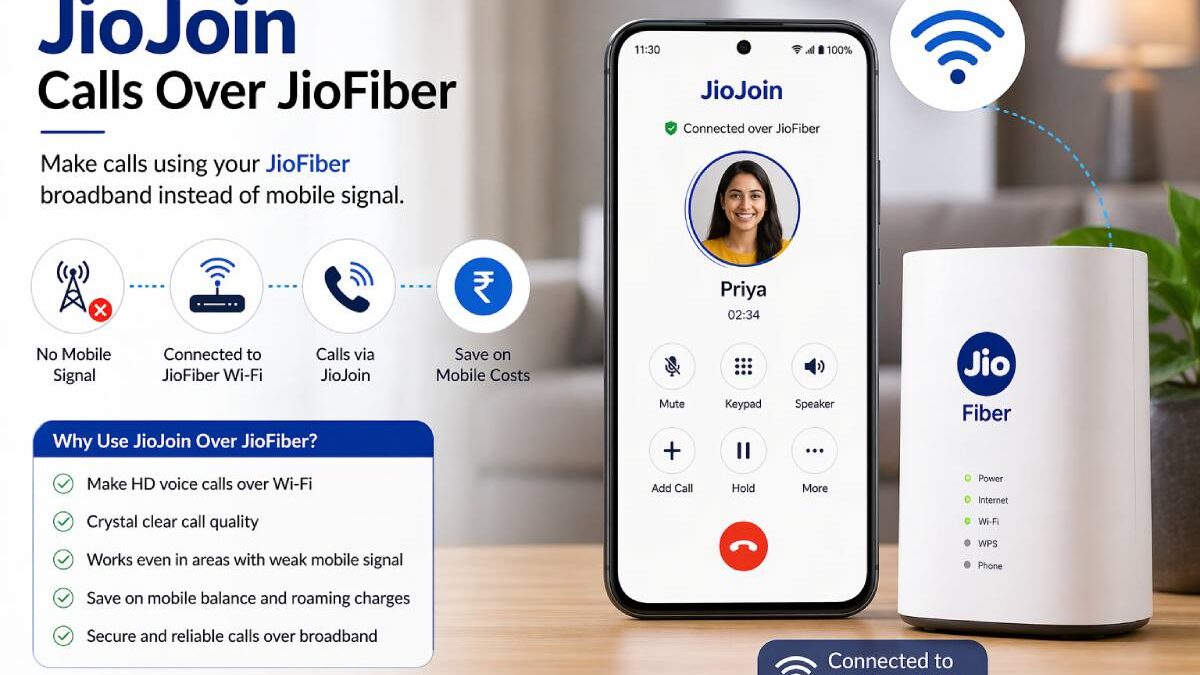
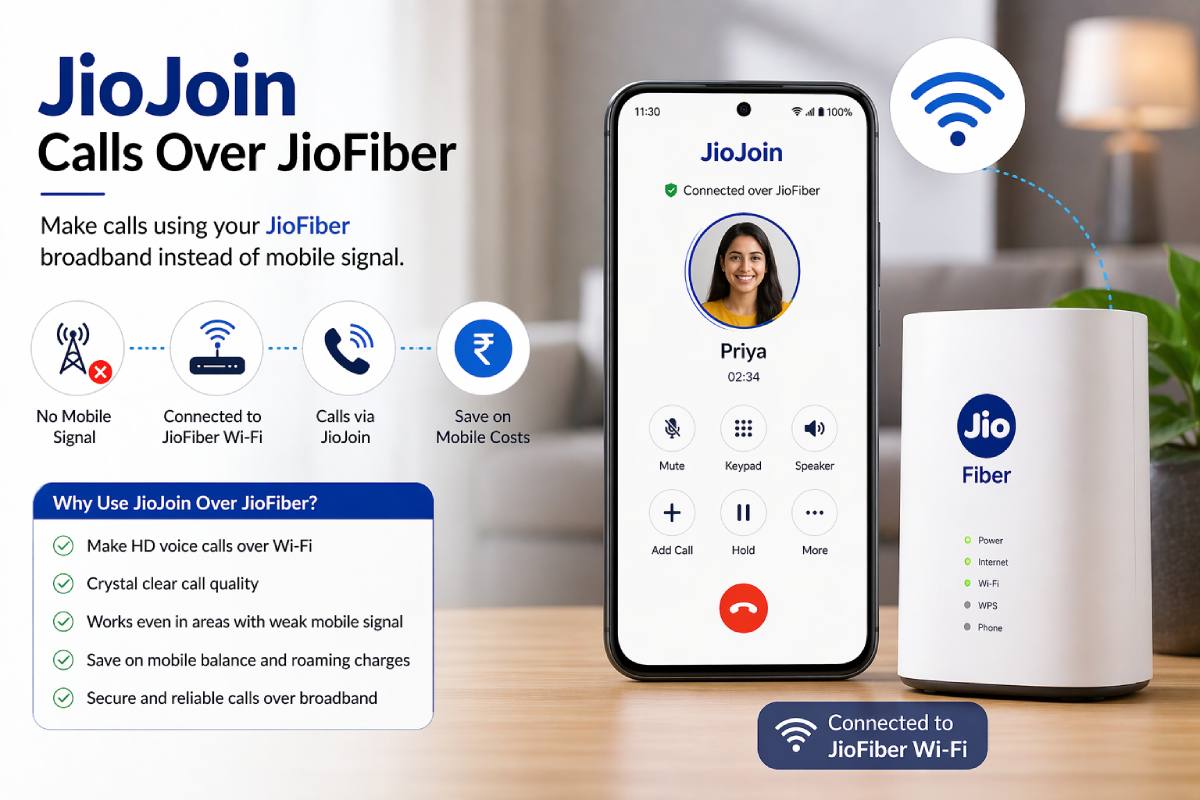
The other search term that yjeerites are to search on jiojoin – calls over jiofiber is comprised of name wondering if jiojoin would facilitate its users to enjoy the normal mobile calls just through home broadband connection, instead of mobile network signals. This feature is very useful in buildings where indoor signals are not strong enough to support Wi-Fi for normal calls.
JioJoin the application connects your registered Jio mobile number with your JioFiber broadband connection so callvoice and video can be forwarded over Wi-Fino the cellular towers close to you.
Jio join calls over JioFiber are voice/video calls that can be made using your registered Jio mobile number on a broadband wifi network (rather than relying on cellular coverage).
This will describe what the feature is, how to enable it correctly, included devices, usual problems and how to solve calling problems quickly.
Table of Contents
What Is JioJoin?
JioJoin is an additional communication application created for Reliance Jio users who intend to make calls or send messages from devices linked through Wi-Fi.
Instead of relying only on cellular signal availability, the app enables:
Voice calling…
Video calls
SMS sync2
Access by multiple devices atonce
The apps’ main aim is to provide the same features as the mobile number on a broadband connection.
This is particularly helpful as signal strength indoors can be variable.
What Does “Calls Over JioFiber” Mean?
Calls over JioFiber refer to voice communication routed through your broadband Wi-Fi network rather than traditional mobile towers.
Instead of connecting via cellular infrastructure:
your phone connects to Wi-Fi
the JioJoin app authenticates your number
calls travel through broadband internet
This creates a calling experience similar to VoWiFi but managed through the Jio ecosystem.
Because broadband signals often remain stable indoors, call clarity improves significantly in many homes.
Telecom-level Wi-Fi calling architecture is explained in the Telecom Regulatory Authority of India (TRAI) VoWiFi overview.
How JioJoin Works With JioFiber Connection
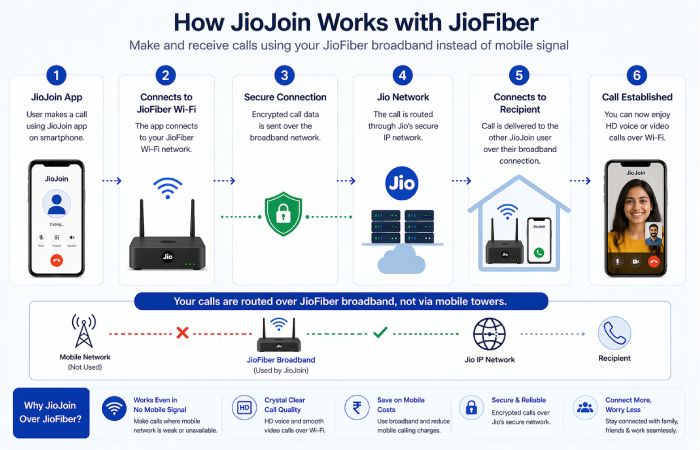
The setup process follows a simple sequence.
1 Step— Install JioJoin App
Download the application from the official Play Store.
2 Step— Login Using Jio Mobile Number
Enter your registered Jio SIM number and verify using OTP authentication.
3 Step— Connect to JioFiber Wi-Fi Network
Ensure your device is connected to the same broadband connection linked to your account.
4 Step— Grant Permissions
Allow microphone, contacts and calling permissions required by the application.
5 Step— Start Making Calls
Once setup is complete, you can place and receive calls normally through the app interface.
Requirements to Use JioJoin Calls Over JioFiber
Before activating the feature, confirm the following checklist.
You need:
an active Jio SIM
a working JioFiber connection
registered mobile-number verification
compatible Android device
stable Wi-Fi connection
Without these requirements, activation may fail.
Supported Devices for JioJoin Wi-Fi Calling
Device compatibility plays an important role in feature performance.
Typically supported devices include:
Android smartphones
select Android tablets
secondary home devices connected via Wi-Fi
Some desktop-style calling workflows may work through emulator environments, although official support focuses mainly on smartphones.
Compatibility may vary depending on Android version.
Features of JioJoin Calls Over JioFiber
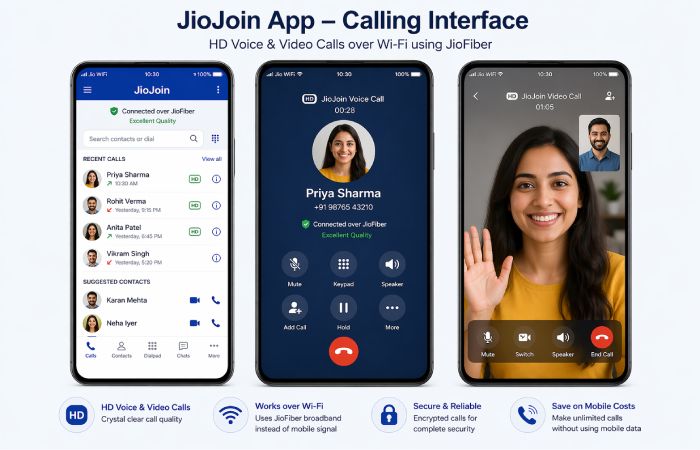
The application includes multiple communication features.
Voice Calls Over Wi-Fi
Users can place standard calls using broadband connectivity instead of mobile signal towers.
This improves indoor call reliability.
Video Calling Support
HD video calling is available through supported devices.
This feature is especially useful for remote meetings and family communication.
Messaging Support
The app synchronises SMS activity across connected devices.
Users can read and send messages through the same interface.
Multi-Device Access
The same mobile number can operate across multiple connected environments.
This allows flexibility when working across phones and tablets.
Benefits of Using JioJoin Calls Over JioFiber
Broadband-based calling improves communication reliability in several ways.
Key advantages include:
strong indoor voice clarity
reduced dependency on signal towers
improved connectivity in apartments
multi-device flexibility
cost-efficient communication continuity
This makes the feature particularly useful in dense urban housing environments.
How to Activate Calls Over JioFiber Using JioJoin
Activation normally takes only a few minutes.
Follow these steps carefully.
Install the application
verify your number
connect to broadband Wi-Fi
enable permissions
restart the app once setup completes
After activation, incoming calls begin appearing through the application interface.
Does JioJoin Work Without JioFiber?
Yes, but with limitations.
The app works on any stable Wi-Fi network after verification.
However:
best performance occurs on JioFiber
feature integration improves with Jio broadband
some advanced calling synchronisation depends on network pairing
Using the app outside the Jio ecosystem may reduce reliability slightly.
Difference Between JioJoin and JioCall App
Many users confuse these two applications.
| Feature | JioJoin | JioCall |
| Primary purpose | Wi-Fi calling extension | Earlier VoWiFi solution |
| Multi-device support | Yes | Limited |
| Messaging sync | Yes | Partial |
| Current ecosystem role | Active integration tool | Legacy support role |
JioJoin represents the newer integration workflow.
Common Problems When Using JioJoin Calls Over JioFiber
Users sometimes experience activation or connectivity issues.
Typical problems include:
OTP verification delays
login failure
audio delay during calls
video-call interruptions
call-drop situations
Most problems relate to connectivity stability.
How to Fix JioJoin Calling Issues on JioFiber
Try the following troubleshooting steps.
Restart the router
Reconnect Wi-Fi
Update the application
Re-login using registered number
Switch between 2.4 GHz and 5 GHz Wi-Fi bands
These steps resolve most calling problems quickly.
JioJoin vs Wi-Fi Calling (VoWiFi)
| Feature | JioJoin | VoWiFi |
| SIM required | Yes | Yes |
| App required | Yes | No |
| Broadband pairing | Strong | Moderate |
| Indoor clarity | High | High |
Both solutions improve indoor call quality, but setup methods differ.
JioJoin vs Traditional Landline Over JioFiber
| Feature | JioJoin | JioFiber Landline |
| Uses mobile number | Yes | No |
| Requires handset | No | Yes |
| Portable usage | Yes | Limited |
| App interface | Yes | No |
This flexibility makes JioJoin useful for mobile-first users.
Can Multiple Devices Use JioJoin Simultaneously?
Yes.
After authentication, users can operate their number across more than one device.
This supports:
tablet calling
secondary device communication
home-office setups
However, simultaneous usage behaviour depends on account configuration.
Best Router Settings for JioJoin Wi-Fi Calling
Router configuration can influence call stability.
Recommended settings include:
strong signal placement
updated firmware
dual-band connectivity support
reduced interference environment
Positioning the router centrally improves performance significantly.
Who Should Use JioJoin Calls Over JioFiber?
The feature benefits several user groups.
Ideal users include:
remote workers
students attending online classes
apartment residents
low-signal households
home-office professionals
These users typically experience improved calling reliability indoors.
Is JioJoin Safe to Use for Calling Over JioFiber?
Yes.
The application uses:
account-linked authentication
encrypted session routing
telecom-level verification systems
Because it operates inside the Jio service ecosystem, security standards follow telecom infrastructure guidelines.
Users should still install only official versions of the application.
Alternatives to JioJoin Calls Over JioFiber
Other communication options remain available.
Examples include:
native VoWiFi calling
JioFiber landline feature
third-party VoIP apps such as Skype or Zoom
Each solution supports different communication needs.
Frequently Asked Questions About JioJoin Calls Over JioFiber
Can I make calls over JioFiber without mobile signal?
Yes. JioJoin enables calling through broadband Wi-Fi.
Is JioJoin free to use?
The app is free, but calls follow standard telecom billing rules.
Can I receive calls using JioJoin?
Yes. Incoming calls function like regular mobile calls.
Does JioJoin work on iPhone?
Support availability varies depending on device compatibility.
Final Thoughts on Using JioJoin Calls Over JioFiber
Calls over JioJoin via Jio Fiber should prove a boon to indoor callers with poor signal strength VoIP calls using broadband instead of cell towers will give users the ability to carry on voice and video communications regardless of the strength of their cellular coverage. For folks who use strong Wi-Fi networks, the feature will be convenient for ringing mobile numbers without losing access to calling.