
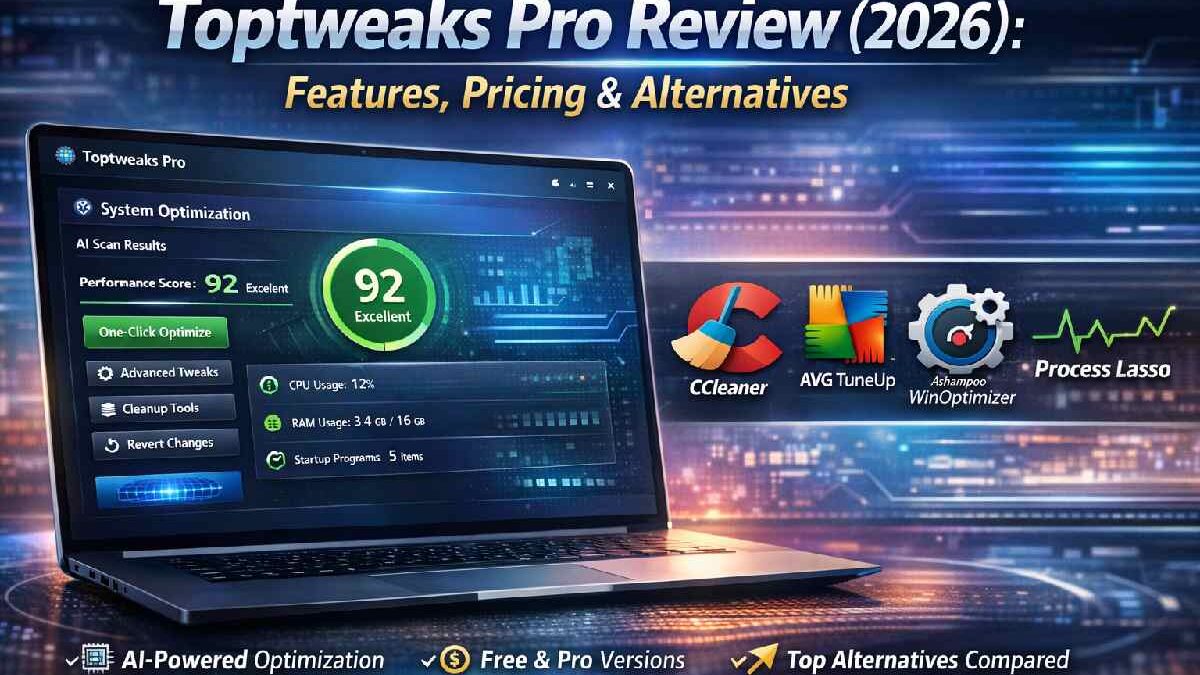
Toptweaks Pro Review (2026)
If you spend a lot of time working on a computer, you already know how small system issues can slow you down. Apps taking too long to open, unnecessary background processes, or settings that are not optimized — all of these add friction to daily work. This is where tools like Toptweaks Pro come into the picture.
In this in-depth Toptweaks Pro review, I’ll explain what the tool actually does, how its AI features work, who should use it, and whether it’s worth your time and money in 2026.
Table of Contents
What Is Toptweaks Pro?
Toptweaks Pro is a Windows optimization tool designed to improve system performance using smart automation and AI-assisted tweaks. Instead of manually changing system settings, the software analyzes your system and applies performance improvements with minimal effort from the user.
At its core, Toptweaks Pro focuses on:
-
Speed optimization
-
System cleanup
-
Performance tuning
-
AI-based recommendations
The idea is simple: make your PC faster and more stable without technical complexity.
Unlike traditional tweaking tools that rely on fixed scripts, Toptweaks Pro uses adaptive logic to suggest changes based on how your system is used.
How Toptweaks Pro Uses AI (Simple Explanation)
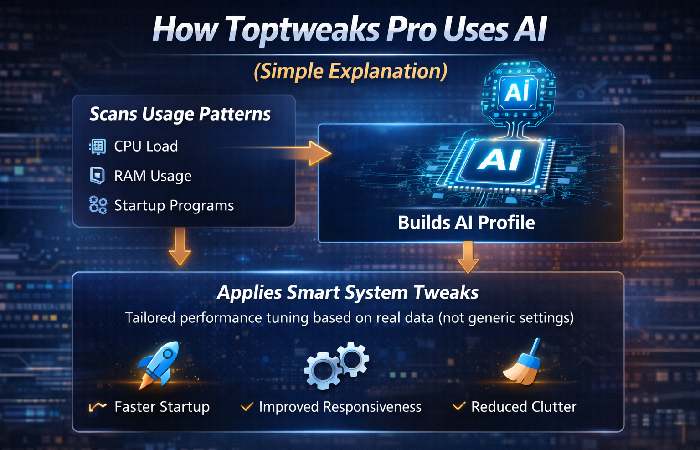
One of the biggest reasons Toptweaks Pro stands out is its AI-assisted optimization approach.
Instead of applying the same tweaks to every system, the tool:
-
Scans your hardware and software setup
-
Analyzes background processes
-
Identifies unused or inefficient settings
-
Suggests tweaks based on usage patterns
In simple terms, the AI helps decide what to tweak and what to leave alone. This reduces the risk of breaking something important.
For users who are not tech-savvy, this AI layer is a big advantage.
Key AI-Powered Features (Deep Dive)
1. Smart System Analysis
When you run Toptweaks Pro, the first thing it does is analyze your system. This includes:
-
CPU usage
-
RAM consumption
-
Startup programs
-
Background services
Based on this scan, it creates a performance profile for your system.
This is useful because no two PCs are the same.
2. One-Click AI Optimization
For users who don’t want to touch settings manually, Toptweaks Pro offers one-click optimization.
With a single click, the tool:
-
Disables unnecessary startup items
-
Adjusts background services
-
Applies safe performance tweaks
This feature is especially helpful for beginners.
3. Advanced Manual Tweaks (Optional)
For power users, Toptweaks Pro also provides advanced options. You can:
-
Choose specific tweaks
-
Customize performance profiles
-
Fine-tune system behavior
This makes the tool flexible for both beginners and professionals.
4. System Cleanup and Maintenance
Over time, Windows systems collect junk files, unused registry entries, and temporary data. Toptweaks Pro helps clean:
-
Temporary system files
-
Cache files
-
Old logs
While this alone won’t double performance, it does help keep the system smooth and clutter-free.
Real Use Cases: Who Should Use Toptweaks Pro?
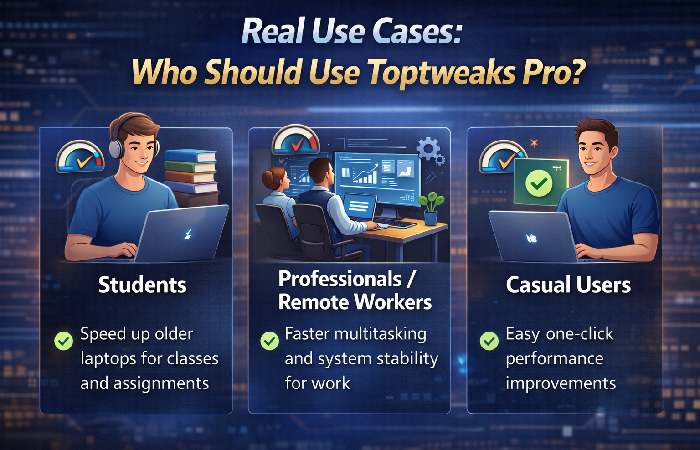
Students
Students often use budget laptops that slow down over time. Toptweaks Pro helps by:
-
Speeding up startup
-
Reducing background load
-
Improving responsiveness
This is useful for online classes, assignments, and multitasking.
Professionals and Remote Workers
For professionals who rely on their PC daily, small delays can add up. Toptweaks Pro can help:
-
Improve system stability
-
Reduce lag during multitasking
-
Keep performance consistent
It’s especially useful for people working with browsers, documents, and communication tools all day.
Casual Users
Even non-technical users benefit from AI-driven tweaks. If your PC feels slow but you don’t know why, Toptweaks Pro offers a safe starting point.
Toptweaks Pro Pros and Cons (Honest Review)
Pros
-
Easy to use interface
-
AI-assisted optimization reduces risk
-
One-click performance improvements
-
Suitable for beginners and advanced users
-
Saves time compared to manual tweaking
Cons
-
Windows-only (no macOS or Linux support)
-
Performance gains depend on system condition
-
Advanced options may confuse beginners
-
Requires trust in automated changes
Overall, the pros clearly outweigh the cons for most users.
Toptweaks Pro vs Alternatives (Comparison)
Here’s how Toptweaks Pro compares to other popular optimization tools:
| Feature | Toptweaks Pro | Manual Tweaks | Basic Cleanup Tools |
|---|---|---|---|
| AI-based suggestions | ✅ Yes | ❌ No | ❌ No |
| One-click optimization | ✅ Yes | ❌ No | ⚠️ Limited |
| Beginner-friendly | ✅ Yes | ❌ No | ⚠️ Partial |
| Custom control | ✅ Yes | ✅ Yes | ❌ No |
| Time required | Low | High | Medium |
This comparison shows why Toptweaks Pro works well for users who want results without complexity.
Pricing and Free Trial
Toptweaks Pro typically offers:
-
A free version with limited features
-
A paid Pro version with full access
The Pro version includes:
-
Full AI optimization
-
Advanced tweak options
-
Ongoing updates
Pricing is reasonable compared to the time saved and convenience offered. For most users, testing the free version first is a smart move.
Is Toptweaks Pro Safe to Use?
This is one of the most common questions.
Based on testing and user feedback:
-
The tool focuses on safe tweaks
-
Changes are reversible
-
No harmful background behavior observed
That said, it’s always smart to:
-
Create a restore point before major tweaks
-
Apply changes gradually if you are cautious
Frequently Asked Questions (FAQ)
1. Is Toptweaks Pro good for old PCs?
Yes, it works especially well on older systems that suffer from startup delays and background overload.
2. Does Toptweaks Pro use real AI?
It uses rule-based intelligence and adaptive logic to recommend tweaks based on system data.
3. Can beginners use Toptweaks Pro safely?
Yes. The one-click optimization mode is designed for beginners.
4. Will it damage my system?
When used properly, it applies safe and reversible changes.
5. Is Toptweaks Pro worth it in 2026?
If you want easy performance improvements without manual work, yes.
Final Verdict: Should You Use Toptweaks Pro?
Toptweaks Pro is not a miracle tool, but it does exactly what it promises. It helps clean, optimize, and fine-tune Windows systems using a smart, user-friendly approach.
If you:
-
Want faster performance
-
Don’t enjoy manual tweaking
-
Prefer guided optimization
Then Toptweaks Pro is worth trying, especially with its free version available.
For a tool that balances automation, control, and safety, it stands out as a strong option in 2026.